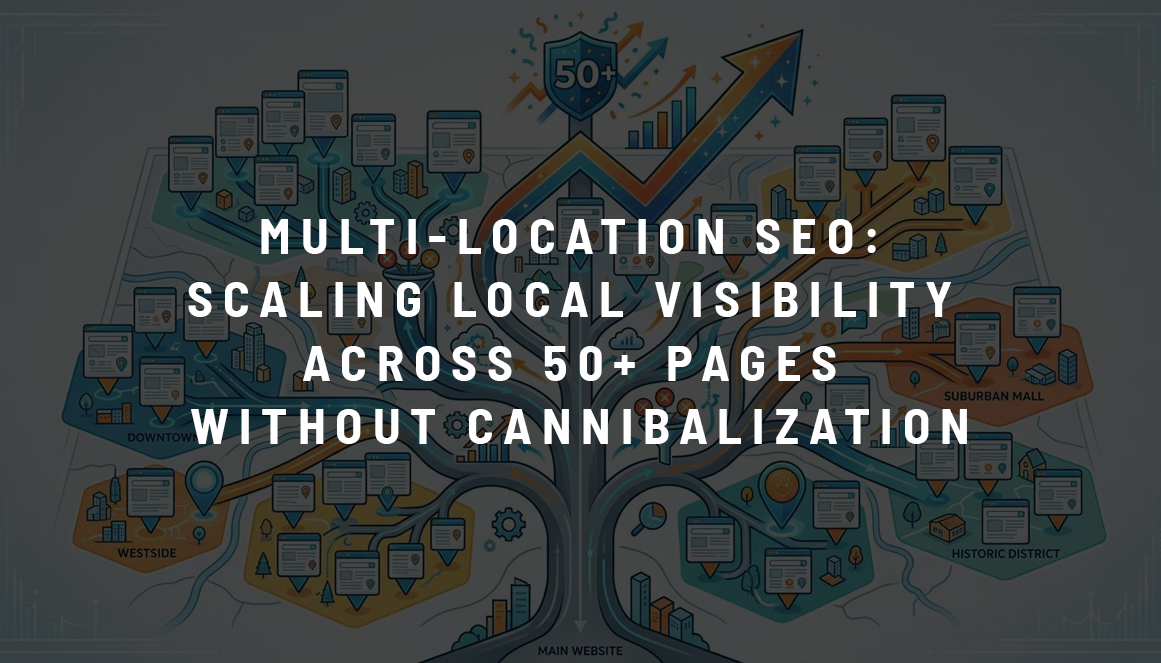
Expanding a business into multiple cities creates new opportunities for organic traffic. But managing 50 or more location pages introduces a challenge: how do you help each page rank for its target area without competing against other pages on the same website?
Publishing dozens of nearly identical city pages won’t solve the problem. Without a clear SEO strategy, businesses risk keyword cannibalization, duplicate content issues, and poor search visibility.
Effective multi-location SEO starts with search intent, a scalable site structure, and genuinely useful local content. Here’s how to build a strategy that works as your business expands.
What Is Multi-Location SEO?
Multi-location SEO is the process of optimizing a website to attract customers from several geographic areas. It applies to businesses with multiple physical branches and companies serving customers across different cities or regions.
For example, a cleaning company operating in Chicago, Boston, and Philadelphia may need separate landing pages targeting searches such as “cleaning services in Chicago” and “house cleaning Boston.”
The challenge grows when a business serves 50 or more locations. Without consistent page architecture and keyword mapping, multiple URLs may target similar queries.
Google also evaluates whether pages offer distinct value. According to its spam policies, creating numerous substantially similar pages designed to funnel visitors toward the same destination can constitute doorway abuse.
The goal is to make every location page useful to customers in its target area.
How Keyword Cannibalization Affects Multi-Location SEO
Keyword cannibalization occurs when multiple pages on the same website target overlapping search intent and compete for visibility.
Consider a company with these URLs:
/cleaning-services/chicago//locations/chicago-cleaning//house-cleaning-chicago/
If all three pages offer essentially the same service to the same audience, Google may struggle to identify which URL best satisfies the query.
This can cause ranking fluctuations, split internal linking signals, and make SEO performance harder to measure.
However, multiple pages appearing for the same keyword doesn’t automatically indicate cannibalization. A general service page and a local landing page may legitimately rank for related queries if they serve different needs.
How to Identify Keyword Cannibalization
Start with Google Search Console:
- Open the Performance report and select a location-specific search query.
- Review the Pages tab to see which URLs receive impressions and clicks.
- Compare the pages’ content, geographic targeting, and search intent.
- Investigate cases where multiple similar pages alternate in visibility or a less relevant URL consistently outranks the intended page.
SEO tools such as Ahrefs and Screaming Frog can support the analysis by identifying overlapping keyword targets, duplicate titles, and similar content.
The solution depends on the findings. You may need to consolidate redundant pages, clarify their target keywords, or improve internal linking.
Building a Scalable Site Structure for 50+ Locations
A well-organized website makes it easier for visitors and search engines to navigate services and geographic areas.
Choose a Consistent URL Structure
Two common approaches are:
Location-focused structure:
example.com/locations/chicago/
example.com/locations/boston/
Service-and-location structure:
example.com/cleaning-services/chicago/
example.com/cleaning-services/boston/
The first works well for businesses with physical branches offering several services. The second may suit companies that need separate landing pages for specific services in different cities.
Neither structure guarantees better rankings. Choose the one that reflects how customers search and how your business operates.
Avoid creating multiple URLs for the same service and location unless they address genuinely different search needs.
Map Keywords to Individual Pages
Before publishing new pages, create a keyword map that assigns a primary search intent to each URL.
For example:
| Page | Primary Keyword | Target Intent |
/cleaning-services/ | Cleaning services | General service information |
/cleaning-services/chicago/ | Cleaning services Chicago | Service in Chicago |
/cleaning-services/boston/ | Cleaning services Boston | Service in Boston |
/locations/ | Cleaning company locations | Find a branch or service area |
This approach reduces unnecessary competition between pages and establishes a clear purpose for each URL.
For larger websites, maintain a centralized keyword map with target location, primary query, supporting keywords, and indexing status.
How to Create Unique Location Pages at Scale
One of the biggest mistakes in multi-location SEO is duplicating a landing page and replacing only the city name.
Google doesn’t require every sentence to be unique. Reusable layouts, service descriptions, and common business information are perfectly reasonable. The issue arises when dozens of pages offer little additional value.
What Should Each Location Page Include?
An effective local landing page can feature:
- Location-specific services: What customers can actually book or purchase in that area.
- Accurate business information: Address, phone number, working hours, or service coverage where applicable.
- Local reviews: Genuine customer feedback related to the location.
- Relevant examples: Completed projects, photographs, or case studies from the area.
- Practical details: Availability, service conditions, local delivery options, or appointment procedures.
For example, a roofing company serving several cities could describe differences in available services, local project experience, and inspection coverage.
These details help users make decisions and distinguish one page from another.
Use Templates Without Creating Duplicate Experiences
Templates are essential when managing 50+ pages. They simplify publishing and keep navigation consistent.
A reusable page layout can include a service overview, location details, customer testimonials, FAQs, and contact information.
The key is to populate these sections with accurate information relevant to each location. Don’t invent local testimonials, office addresses, or projects to make pages appear unique.
On-Page SEO and Internal Linking
Once the site structure and content are ready, technical consistency becomes particularly important.
Optimize Metadata and Headings
Each location page should have a descriptive Title and H1 aligned with its primary search intent.
For example:
Title: House Cleaning Services in Chicago | Company Name
H1: Professional House Cleaning in Chicago
Meta descriptions should explain the service and give users a reason to visit the page. Avoid adding multiple city names or repeating keywords unnaturally.
Strengthen Internal Linking
A scalable internal linking structure should connect general service pages with their relevant location pages.
For example, a main cleaning services page can link to a location directory, while each city page links to the appropriate service categories.
Use descriptive anchor text and ensure important pages are accessible through ordinary HTML links, rather than relying entirely on internal search or filters.
Handle Canonical Tags Correctly
Canonical tags help Google identify preferred URLs when duplicate or very similar pages exist.
If city pages provide distinct value and are intended to appear independently in search results, they should generally use self-referencing canonical tags.
Do not canonicalize every location page to the main service page simply because they share a template. This can signal that the local pages are duplicates rather than independent search results.
Google’s canonicalization documentation explains how these signals work.
For businesses with physical locations, appropriate LocalBusiness structured data can also help Google understand relevant business information.
Google Business Profile Optimization for Multiple Locations
Google Business Profiles complement location landing pages, especially for businesses with customer-facing branches.
Each eligible location should have accurate contact details, business hours, categories, and a relevant website link. Reviews and photographs should reflect the actual location.
However, businesses shouldn’t create separate profiles for every city they target through SEO.
Under Google’s Business Profile guidelines, service-area businesses must meet specific eligibility requirements. A company operating from one central location generally cannot create dozens of profiles simply because it serves neighboring cities.
Website location pages and Google Business Profiles serve different purposes. Their geographic coverage doesn’t need to match one-to-one.

How to Avoid Doorway Pages When Scaling Local SEO
Creating 50 location pages isn’t inherently problematic. Creating 50 pages with almost identical content and no meaningful geographic distinction is a different matter.
Before publishing a new city page, ask:
- Does this location represent a real market the business serves?
- Is there a distinct search intent worth targeting?
- Can the page offer useful information beyond changing the city name?
- Would visitors benefit from this page if they arrived without using Google?
If several pages answer the same question and direct visitors to an identical service without additional value, consolidation may be the better option.
Google’s policies address both doorway abuse and scaled content abuse, including the mass production of low-value pages primarily intended to manipulate rankings.
Monitoring Multi-Location SEO Performance
Publishing location pages is only the beginning. Their performance needs to be evaluated individually.
Use Google Search Console and your analytics platform to monitor organic clicks, impressions, indexing status, conversions, and landing page performance.
For a website with 50+ locations, group pages by city, region, or service type. This makes it easier to identify underperforming areas without reviewing every URL manually.
For example, if a Boston page receives impressions but few clicks, review its ranking queries, Title, and search intent alignment.
If several city pages are excluded because Google selected another canonical URL, investigate whether their content is too similar or whether technical signals are inconsistent.
A practical maintenance schedule includes regular keyword overlap checks, internal link audits, and content updates when services or business details change.
Multi-Location SEO Checklist
Before launching or expanding a large set of location pages, verify that:
- Every URL has a clearly defined geographic target and search intent.
- The site follows a consistent URL and navigation structure.
- Location pages contain accurate, locally relevant information.
- Titles, H1 headings, and internal links support the intended page hierarchy.
- Canonical tags, indexing settings, and XML sitemaps are configured correctly.
- Google Business Profiles represent eligible, real business locations.
- Search visibility and conversions can be measured for individual locations.
These checks reduce avoidable technical problems and make ongoing optimization more manageable.
Conclusion
Successful multi-location SEO depends on clear page differentiation, reliable local information, and a website structure that can grow without creating redundant URLs.
For businesses managing 50 or more locations, the most effective approach is to map search intent before creating pages, maintain consistent technical standards, and use performance data to identify where improvements are needed.
At SEOLOGIC, our SEO services help businesses develop scalable search strategies that connect their websites with relevant audiences and support measurable business growth.


